harteWired/brother-ptouch-automation

A small, flexible engine that prints labels

Byte-exact raster encoder for the Brother PT-P750W (primary; PT-P710BT and PT-E550W also work). A layout library, a TOML preset format for declaring new label types, and a QR / image decorator that snaps onto any label. Adding a new category is usually ~10 lines of data, not a Python class. Driveable from a CLI, an HTTP service, or a Claude Code skill. Dry-run by default.

kitchen/pantry_jar electronics/cable_flag three_d_printing/filament_spool workshop/hazard utility/qr

How it composes

Four layers, deliberately small.

1. Raster engine

Byte-exact against Brother's command reference, cross-checked against treideme/brother_pt in CI. Handles every TZe width (3.5–24 mm), half-cut, multi-label batches, and the 32-byte status packet so real sends can be gated on "loaded tape matches the job."

2. Layout helpers

A small set of pure functions — render_two_line_label, TwoLineLayout, fit_text_to_box, icon placement, QR composition — that compose a Pillow image at 180 DPI for a given tape width.

3. TOML presets

~30 of the shipped labels are declarative data: a schema, a primary line, a secondary line, optional conditionals. Adding a new one is an entry in presets.toml. No Python required.

4. Bespoke Python (when needed)

The few labels that need custom geometry — cable flags that wrap around a cable, polarity icons, GHS hazard pictograms, the QR + image primitives — stay as Python classes. Five of the 36 ship today.

Decorators, not duplicates

Cross-cutting additions (QR codes, arbitrary bitmaps) are --link / --image flags that snap onto any template's output. A QR next to a pantry jar doesn't need a new template.

Dry-run by default

lp print and lp batch encode + write bytes to a file but never drive the printer unless you add --send. Same for POST /printsend: true is opt-in.

Wire-aware cable flags

Pass wire=ethernet or 18AWG and the wrap section is sized to the cable's outer diameter. 40+ keywords plus every AWG built in.

Icons, opt-in

~50 curated Lucide icons bundled. Install the full ~1500 Lucide set or ~7000 Material Design Icons with one lp icons install-* command.

Pack plug-in system

Ship your own templates — preset + bespoke mix — as a separate pip package. External packs register via standard Python entry points, with a safe-mode env var for supply-chain caution.

Showcase

A handful of labels that show what the engine does, grouped by how they're built. Everything here renders at 180 DPI on 12mm tape. The full catalog — 36 templates across 12 packs — lives in lp list; there is no point in listing them on a web page.

Declared in TOML (~10 lines of data)

Most labels are a preset entry: a name, a schema, a primary line, a secondary line. The preset loader builds the Template at registry init. No Python required.

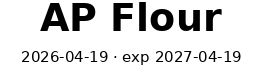
kitchen/pantry_jar with icon
kitchen/pantry_jar

Optional Lucide icon on the left, optional expiry on the right. The `icon_field` preset key wires a named field to the icon slot.

primary   = "{name}"
secondary = [
  "{purchased}",
  { if = "expires", text = " · exp {expires}" },
]
icon_field = "icon"
filament_spool
three_d_printing/filament_spool

Four required fields, two optional temps — joined with · separators only between parts that are actually set.

secondary_join = " · "
secondary = [
  "{brand}",
  "opened {opened}",
  { if = "nozzle_temp", text = "N {nozzle_temp}°C" },
  { if = "bed_temp",    text = "B {bed_temp}°C" },
]
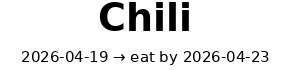
kitchen/leftover
kitchen/leftover

A derived eat_by field computed from cooked + eat_within_days, so the label shows both dates without the caller doing the math.

[[presets.derived]]
name       = "eat_by"
kind       = "date_offset"
from_field = "cooked"
days_field = "eat_within_days"

secondary = [ "{cooked} → eat by {eat_by}" ]
home_inventory/moving_box

The fragile flag is a string field; the conditional appends · FRAGILE to the headline only when the value is truthy (and "no" / "false" / "0" count as falsy).

primary_parts = [
  "{room}",
  { if = "fragile", text = " · FRAGILE" },
]

Bespoke Python (when geometry matters)

The few labels that need something the two-line mould can't express — a wrap-around wire flag, polarity icons, a GHS pictogram — stay as Python classes. Five of the 36 ship today.

electronics/cable_flag

Two faces printed back-to-back with a wrap section in the middle sized from the cable's outer diameter (π·OD + adhesive overlap). Pass wire=ethernet, wire=18AWG, or a literal wire="5mm". 40+ cable keywords and every AWG built in.

electronics/psu_polarity

Voltage · current on the headline, a centre-positive polarity ring drawn in the same raster pass. Not worth expressing as a preset — the icon placement is the whole point.

workshop/hazard
workshop/hazard

GHS pictogram on the left (flammable, corrosive, toxic, etc.), hazard name + regulatory code on the right. Pictograms are SVG assets composited into the label.

Decorators, not duplicates

--link and --image snap onto any template's output. Adding a QR or a bitmap doesn't require a new template — a cable flag, a pantry jar, a tool tag can all carry one.

pantry_jar with --link
kitchen/pantry_jar + --link

Same pantry preset, plus a QR that points at the canonical note in your Obsidian vault. Claude decodes the QR from a phone photo later, so the QR content is opaque to the phone's native scanner — it can be vault:kitchen/sauces/sriracha.

lp render kitchen/pantry_jar \
  -f name=SRIRACHA -f purchased=2026-04-17 \
  --link vault:kitchen/sauces/sriracha
tool_tag with --image
three_d_printing/tool_tag + --image

Any bitmap — a personal logo, a project sigil, an asset-ID barcode — can be composed onto the right edge. The decorator fits it to tape height, threshold-converts to monochrome, and leaves the template's own layout untouched.

lp render three_d_printing/tool_tag \
  -f tool=Calipers -f owner="aes / 3d-printing" \
  --image ~/assets/logo.png

Hardware compatibility

Everything in the Brother "Raster Command Reference" family. Anything outside it needs a new encoder.

primary

PT-P750W

128-pin head · 180 DPI · half-cut · USB + Wi-Fi

works

PT-P710BT

Cube Plus — same command set; half-cut bit silently ignored (no hardware for it)

works

PT-E550W

Same raster command reference, same 128-pin head

out of scope (for now)

PT-P300BT

Original Cube — different (simpler) protocol

out of scope (for now)

PT-P910BT

Cube Pro — different command set, wider head (36mm)

out of scope (for now)

QL / Dymo / Zebra

Completely different protocols

CLI, roughly

# discover
lp packs                               # installed template packs
lp list [--category kitchen]           # templates in a pack
lp show <category>/<name>              # field schema

# render (no transport touched)
lp render <template> -f k=v ...        # PNG + raster preview
lp render-image <file.png>            # raster-encode an arbitrary image

# print — dry-run default, --send opt-in
lp print  <template> -f k=v ...         # single label
lp print  <template> -f k=v ... --send   # really print
lp batch  <spec.json>                    # chained multi-label job (half-cut)

# hardware
lp status                              # loaded tape + error flags (Phase 5)

# extras
lp wires                               # cable-keyword → outer-diameter
lp icons list | preview <name>         # bundled Lucide icons
lp icons install-lucide | install-mdi   # clone full icon sets
lp serve --host 127.0.0.1 --port 8765   # FastAPI HTTP service